
Project Roles consolidated within an Organization
In the Version 90 release (September 6, 2026) we are moving all Project Role definitions from URL level to Organization level.
When customers have more than a handful of URLs in TrialGrid, managing Project Role definitions and keeping them in sync across URLs becomes a real chore and makes license management difficult.
When Version 90 is released (and in prerelease) you will find that Project Roles appear at the Organization level. Along with that move, Role definitions become the responsibility of Organization superusers - they are the only users who can add, edit, delete or merge them.
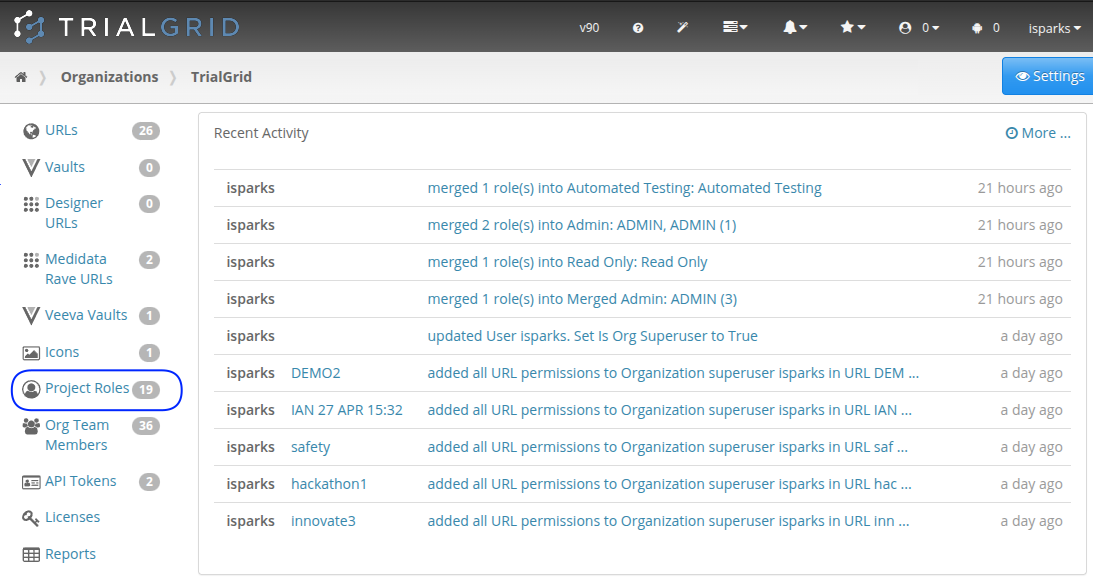
Migration
Typically, the same Role name has been used in multiple URLs. Where these Role names match exactly and have exactly the same permissions, they become a single Role definition in the new listing.
However, if there is any difference between them then they arrive as separate definitions - the first keeps the plain name and the others have (1), (2) appended. You might also find that there are small variations in Role names and each of these variations has its own entry.
None of this changes what anyone can do. A user who was a Data Manager may now find they are a Data Manager (1), but with exactly the same permissions in exactly the same Projects. Nothing is merged for you, and nothing has to be merged at all - the cleanup below is yours to do at whatever pace suits you.
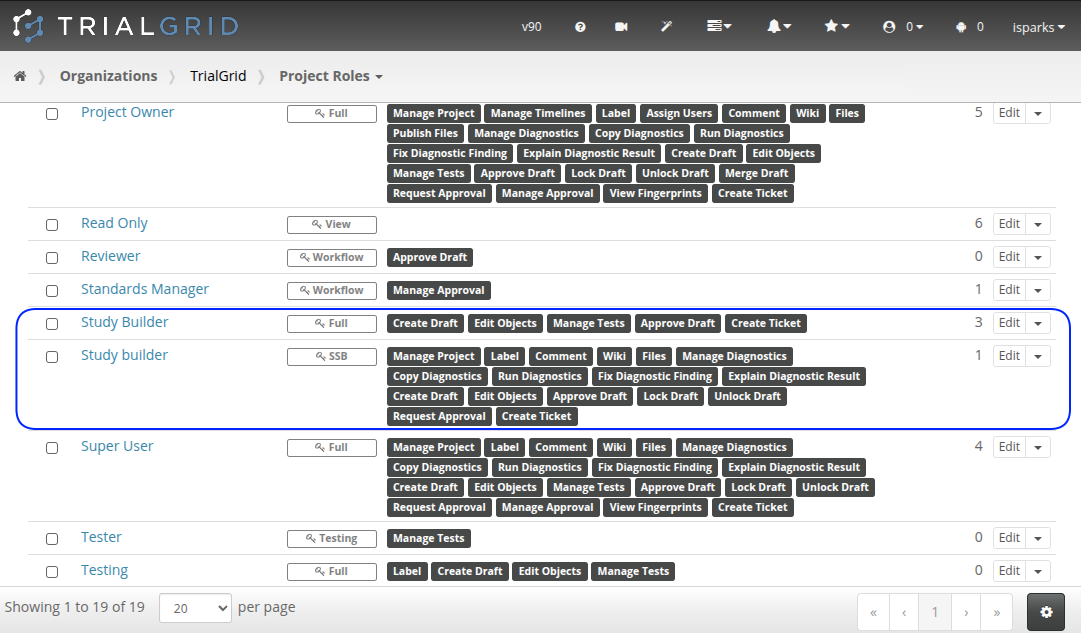
The listing also shows the license type each Role requires and how many users hold that Role across the whole organization. That is the picture which previously had to be assembled URL by URL, which is what made license management such hard work; it is now on a single page.
Merging Roles
You will likely want to clean up this list of roles by merging them. Select two or more roles and click the "Merge" button:
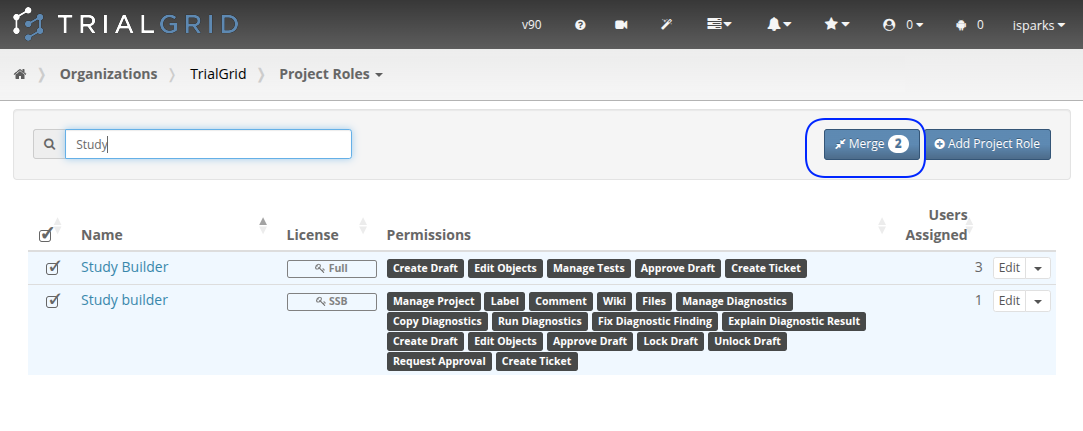
The dialog which appears will ask you what the new name of the merged Roles should be. You can re-use one of the names you are merging from or choose a new name. Note that the merged Role will get the superset of all permissions that any of the roles being merged had. So if you merge a role with permissions: Diagnostics and Create Draft with another that has Create Draft, Files and Wiki permissions you end up with a Role that has Diagnostics, Create Draft, Files and Wiki permissions. The permissions that will be set are shown in the dialog:
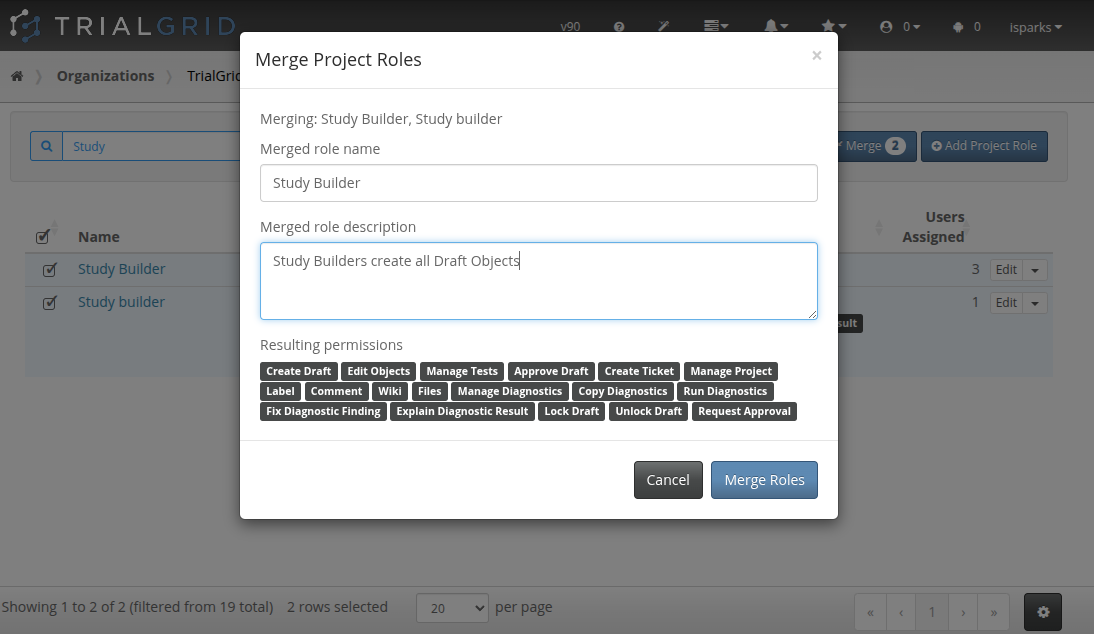
When you click the Merge Roles button all users who had the previous roles are re-pointed to the new Role and all Property Sheets, Actions and other role-specific settings are switched to the new Role definition.
Note that once merged it is not possible to reverse the process.
One thing merging will not do is give a group of users fewer permissions. Merging says "these two Roles are the same thing", and it always resolves to the superset. If you have a "Project Owner" Role carrying every permission and an "Administrator" Role carrying slightly fewer, merging the two will not bring your Project Owners down to Administrator level - it will raise every Administrator to every permission instead, with the licensing that follows from it. To get the result you were after, either move those users onto the Administrator Role and delete the "Project Owner" Role, or merge the two and then remove the unwanted permissions from the merged definition.
Before Version 90
There is no need to go hunting through your URLs ahead of the release, comparing Role definitions by hand. If you have twenty URLs that would be a considerable amount of work, and it is work the new listing does for you. The duplicates you see after the migration show the places where your definitions are different.
However, if two URLs both have a Role called "Data Manager" and the two definitions happen to carry the same permissions today, but they exist for different reasons and you expect them to diverge later, the migration will treat them as one Role and give you a single definition to edit. Renaming one of them before the Version 90 release - to "Data Manager (Training)", say - keeps them apart from the start, which is easier than separating them again afterward.
Summary
Defining Roles inside each URL made good sense when an organization had one or two of them, and most of our customers still work that way. Our largest do not: they run TrialGrid across hundreds of URLs, and one of them is maintaining more than a thousand Project Role definitions across those URLs. At that scale, keeping definitions aligned by hand stops being a minor chore and becomes a job of its own. This change moves Roles to the level at which they are now administered.
For customers with large numbers of URLs this change replaces a set of Role definitions that had to be kept in step by hand with one set that is defined, edited and licensed in a single place. You do not have to merge anything to get that - the definitions are consolidated whether you tidy the list or not - but merging is what turns a long list of near-duplicates into the handful of Roles your organization actually uses, each of them editable from one location.