
Organization Roles
The TrialGrid system is modeled on a hierarchy:
Organization
   -> URL
      -> Project
         -> Draft
At each level of that hierarchy a user can have some permissions which control what they are allowed to do to at that level or below.
All users belong to an Organization. Basically their employer. And at the organization level there are a set of permissions for users which control whether the user can...
- Administer Organization-level permissions for themselves and other users
- Manage the definition of Icons for the organization
- Create new URLs
- View Organization Reports
- Create and Manage API tokens
- ...
Before version 91 (released 27th Sept 2026) these permissions were all associated directly to users but as the number of users in an organization grows this becomes harder to manage.
So in version 91 we introduced the concept of Organization Role. These are similar to Project Roles, they give a name to a set of Organization permissions and then a user is assigned that named Organization Role rather than having their own set of individually managed permissions.
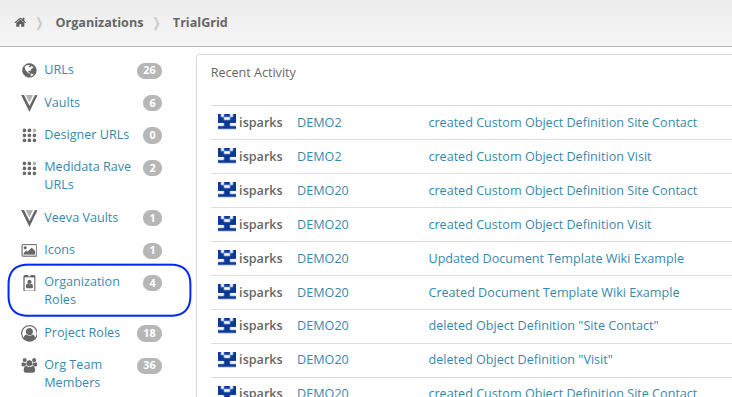
This is the difference between having "Alice is a member of the NewCo organization and she has some permissions" to "Alice is an Administrator in the NewCo organization."
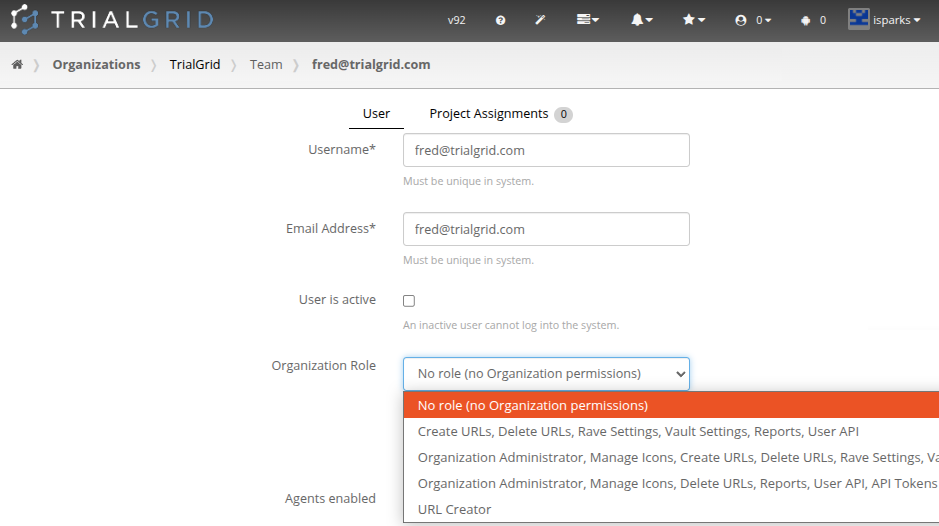
Users are assigned to their Organization role via Org team member list and editor:
Migration
When version 91 was released all users were migrated from a set of organization permissions to a named Organization Role. The challenge is that a small set of Organization permissions like:
- Create new URLs
- View Organization Reports
does not have an obvious name. So you might find you, or your users, now hold a strangely named Organization permission like
Create URLs, Delete URLs, Rave Settings, Vault Settings, Reports, User API or
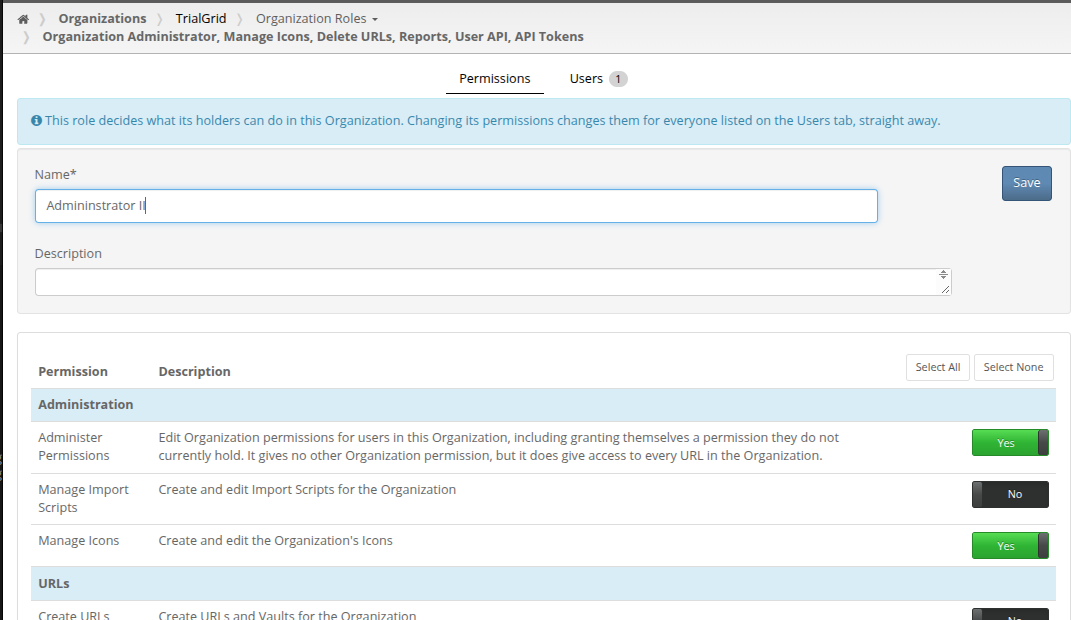
Organization Administrator, Manage Icons, Delete URLs, Reports, User API, API Tokens - these are simply created from
the set of permissions your users had. You can rename them in the user interface for Organization Roles if
you have the Administer Permissions permission as part of your Organization Role (i.e. you were formerly an
"Organization Super User").
Summary
Similar to the changes in Version 90 which made some improvements to Project Role definitions for organizations with large numbers of URLs, Version 91 introduces further consolidation of role definitions, this time at the Organization level.
The following table shows how user permissions are controlled for each level of the hierarchy.
| Level | Permissions Controlled By |
|---|---|
| Organization | User Organization Role |
| URL | User URL Permissions |
| Project | User Project Role |
| Draft | User Project Role |
We hope that the migration to Organization roles will help Organizations large and small manage their users more easily within the TrialGrid system.